
Have you ever shared a confidential report or a resume PDF and wondered if the other person could see more than just the text on the page? Most people assume that once they hit 'send,' only the visible content travels with the file. In reality, every PDF carries two distinct layers of information: one you can see (watermarks) and one you cannot (metadata). Understanding what each reveals is the difference between protecting your privacy and accidentally handing over a digital fingerprint.
The core problem isn't just about hiding secrets; it's about knowing what is actually attached to your file before it leaves your device. Metadata operates in the shadows, recording who created the file, when it was edited, and even which software version generated it. Watermarks, by contrast, are loud and deliberate signals meant to brand the document or restrict its use. If you treat them as the same thing, you will likely leave sensitive data exposed while thinking you've secured the file.
The Invisible Trail: What PDF Metadata Reveals
PDF Metadata is the hidden background data embedded within a document's structure, acting as its digital DNA. It is automatically generated by software like Microsoft Word, Adobe Acrobat, or Google Docs whenever you create or save a file. This data does not appear on the printed page, but it is easily accessible to anyone who knows how to look.
Standard metadata fields include the author's name, the document title, creation dates, and modification timestamps. These seem harmless enough until you consider the context. For example, an author field might reveal your full legal name, employee ID, or department. A 'Creator' field often discloses the exact software version used, such as 'Microsoft Word 2021.' This technical detail can be exploited by threat actors to identify vulnerable systems within your organization.
Beyond basic fields, PDFs store complex historical data. The XMP (Extensible Metadata Platform) stream and the older Info Dictionary hold detailed records of edits, comments, and annotations. Even if you delete a comment visually, the underlying metadata may still contain the original text. Some documents also carry geolocation data, file paths revealing internal folder structures, or unique identifiers (UUIDs) that allow companies to track where a specific copy of a document has traveled.
The risk here is inadvertent disclosure. You might send a contract draft to a client, unaware that the metadata reveals internal project codes, previous drafts containing rejected clauses, or the names of colleagues who reviewed it. Because this information is invisible, most users never realize they are sharing it until it becomes a liability.
The Visible Shield: What PDF Watermarks Reveal
PDF Watermarks are visible design elements or text intentionally embedded into a document to indicate ownership, status, or restrictions. Unlike metadata, watermarks are not automatic. They are applied deliberately to communicate something to the viewer. Their primary function is psychological and procedural rather than forensic.
Watermarks serve several key purposes. First, they establish authenticity. A company logo or a 'Certified Copy' stamp tells the recipient that the document is official. Second, they categorize sensitivity. Labels like 'CONFIDENTIAL,' 'DRAFT,' or 'INTERNAL USE ONLY' provide immediate visual cues about how the document should be handled. Third, they protect intellectual property. By overlaying text across the page, watermarks make it harder for recipients to repurpose the content without attribution.
More advanced systems use dynamic watermarks. These change based on who is viewing the document. For instance, a financial report might display the viewer's email address and employee ID faintly across the background. If a screenshot leaks, the source can be traced directly back to the individual. This creates a powerful deterrent against unauthorized sharing because the leak itself identifies the leaker.
However, watermarks have limits. They do not prevent someone from copying the text underneath them. Sophisticated users can often remove static watermarks using image editing tools or advanced PDF editors. Furthermore, a watermark says nothing about the document's history. It doesn't tell you who wrote it, when it was last changed, or what software produced it. That information remains hidden in the metadata, regardless of how prominently the watermark sits on the page.

Comparing the Two: Forensics vs. Deterrence
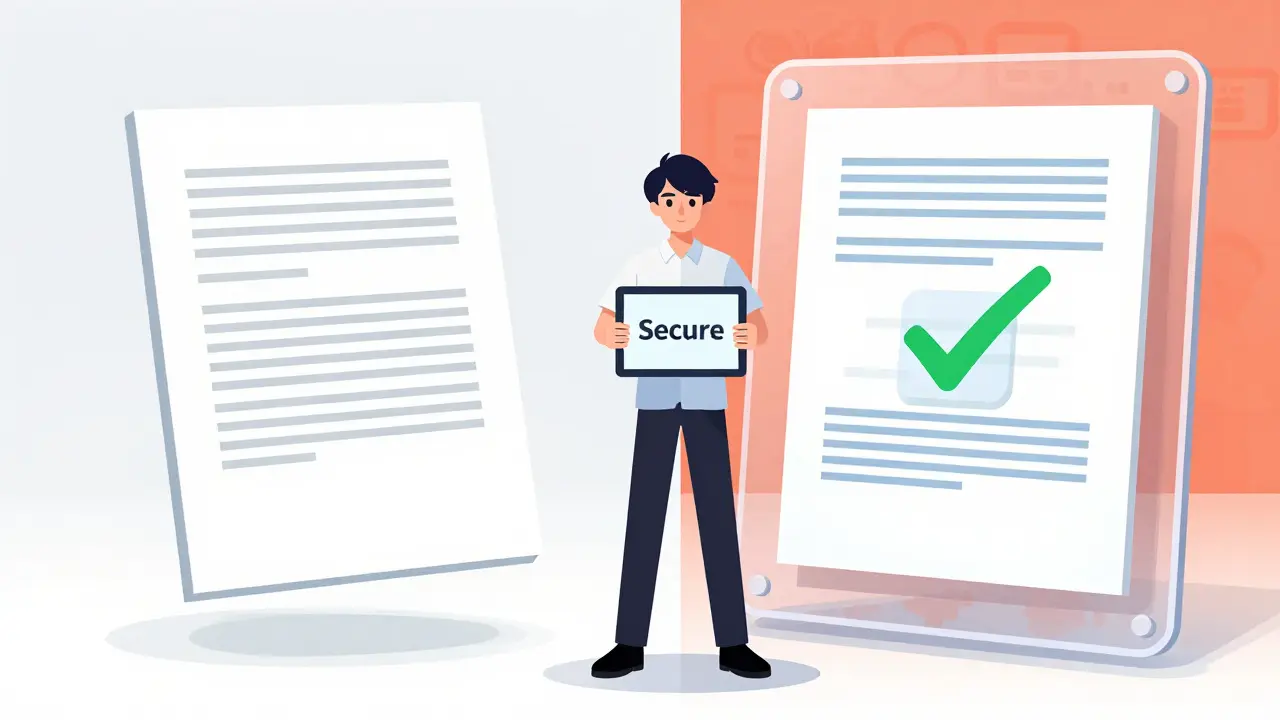
To understand which layer matters more for your needs, it helps to compare their functions side-by-side. Metadata is forensic; it provides evidence after the fact. Watermarks are preventive; they attempt to stop misuse before it happens.
| Feature | PDF Metadata | PDF Watermarks |
|---|---|---|
| Visibility | Invisible (hidden in file structure) | Visible (embedded in page content) |
| Primary Purpose | Tracking creation, edits, and software | Branding, confidentiality, and deterrence |
| Data Revealed | Author, dates, software, file paths, comments | Ownership status, classification level, viewer ID |
| Removal Difficulty | Requires specialized tools or scripts | Can sometimes be removed with basic editors |
| Privacy Risk | High (inadvertent leakage of personal/org data) | Low (intentional signaling) |
The table highlights a critical distinction: metadata poses a higher privacy risk because it is often unknown to the sender. You cannot accidentally forget to add a watermark if you intended to mark a document as confidential. But you can easily forget that your PDF contains your home address in the file path or your manager's name in the author field.
Why Metadata Removal Is Critical for Privacy
If you are sharing documents externally-whether it's a job application, a legal filing, or a public record-the priority must be sanitizing the metadata. Regulations like GDPR treat certain metadata as personal data, meaning failure to protect it can lead to compliance violations. Beyond legality, there is the issue of professional reputation. Sending a file that reveals internal debates via deleted comments looks careless.
Removing metadata is not the same as redacting visible text. Redaction hides words on the page; metadata removal strips the hidden properties. Many standard PDF viewers allow you to see this data, but few offer easy ways to clean it thoroughly. The challenge lies in the dual storage system mentioned earlier: the Info Dictionary and the XMP stream. A naive cleaner might wipe one but leave the other intact, leaving traces behind.
This is where dedicated tools become necessary. Using a robust PDF metadata remover ensures that both the Info dictionary and the hidden XMP stream are scrubbed simultaneously. Such tools operate client-side, meaning the processing happens entirely in your browser. Your file never uploads to a server, eliminating the risk of interception during the cleaning process. This approach preserves the visual integrity of the document-no re-rasterization occurs-while ensuring that all hidden identifiers are permanently erased.
When to Use Watermarks Instead
Metadata removal is essential for privacy, but it does not replace the need for watermarks in certain scenarios. If you are distributing proprietary research, financial forecasts, or pre-release marketing materials, a watermark serves as a clear boundary. It signals to the recipient that the document is controlled and monitored.
Dynamic watermarks are particularly effective in regulated industries like healthcare or finance. By embedding viewer-specific information, organizations can create an audit trail. If a document appears on a competitor's website, the dynamic watermark can pinpoint exactly which employee accessed it and when. This accountability feature is impossible to achieve with metadata alone, as metadata reflects the creator's identity, not the current viewer's.
However, remember that watermarks are a deterrent, not a lock. They rely on the assumption that the recipient will respect the warning. If absolute secrecy is required, encryption and access controls are superior to watermarks. Watermarks work best when combined with metadata sanitization, ensuring that the document reveals nothing about its origin while clearly stating its current status.
Practical Steps to Secure Your PDFs
Securing a PDF involves a two-step mindset: inspect first, then act. Before sending any document, ask yourself what information the recipient needs versus what they don't. Do they need to know your software version? Probably not. Do they need to know the file was created in your private folder? Definitely not.
Start by inspecting the metadata. Right-clicking the file and checking properties gives you a basic overview, but it often misses the deeper XMP data. For a thorough check, use a tool that offers an inspector mode. This allows you to see exactly what fields exist-Author, Creator, Producer, Keywords-and decide which ones to keep. In many cases, keeping only the Title and Subject is sufficient for usability while stripping everything else reduces risk.
Once you've identified unnecessary data, strip it. Avoid online converters that require uploading your file, as this defeats the purpose of privacy. Instead, opt for local processing solutions. After cleaning, verify the result by reopening the metadata panel. Ensure that fields like 'Author' and 'CreationDate' are blank or generic. Finally, if the document is sensitive, apply a static watermark indicating its classification. This combination of invisible cleanliness and visible warning provides the strongest defense.
Does deleting a PDF delete its metadata?
No. Deleting a file from your computer removes the file itself, but if copies exist in cloud storage, email archives, or backups, the metadata remains intact in those copies. Metadata is part of the file structure, so it persists wherever the file is stored unless explicitly stripped.
Can I remove metadata without changing the PDF's appearance?
Yes. Proper metadata removal tools rewrite only the metadata streams (Info dictionary and XMP) while leaving the content streams untouched. This ensures identical pixel output, meaning the document looks exactly the same but no longer contains hidden data.
Are watermarks secure against removal?
Static watermarks can often be removed by technically skilled users using PDF editors or image manipulation software. Dynamic watermarks are more secure because they are rendered at view time and tied to user credentials, making them difficult to bypass without authorized access.
What is the difference between the Info Dictionary and XMP?
The Info Dictionary is an older, simpler format for storing basic metadata like author and title. XMP (Extensible Metadata Platform) is a more advanced XML-based format developed by Adobe that supports richer details, custom fields, and better cross-platform compatibility. Both can contain sensitive data and should be cleaned together.
Is it safe to use online tools to remove metadata?
It depends on the tool. Many online services upload your file to their servers for processing, which exposes your document to potential breaches. Client-side tools that run entirely in your browser are safer because the file never leaves your device, ensuring zero-knowledge privacy.
H F
May 17, 2026 AT 01:20Wow this is actually super helpful info! I always just hit send and hope for the best but now i feel like a total nerd for not knowing about metadata lol. Thanks for breaking it down so clearly, really appreciate the effort here!
Bijan Das
May 18, 2026 AT 09:26Oh great another tech lecture for people who can barely figure out their wifi password. Who has time to scrub metadata when you have actual work to do? Just keep your mouth shut if you dont want leaks.
Ashley Rodriguez
May 20, 2026 AT 04:08i was totally unaware that my home address could be in a pdf file path which sounds terrifying honestly and i never thought to check before sending resumes or contracts to people because it seems like such a small detail but apparently its huge for privacy so im going to start looking into those tools mentioned right away
Bridget Coogle
May 21, 2026 AT 11:31This is such an important topic! It's scary how much we share without realizing it. Great read!
Larry Port
May 23, 2026 AT 02:24I wonder if most people even know what XMP is. It feels like we are handing over our digital lives on a silver platter every time we email a document. The concept of client-side processing is really key here because uploading sensitive docs to random servers defeats the whole purpose of cleaning them.
Jocelyn Garcia
May 23, 2026 AT 20:35The distinction between forensic data and deterrent signals is crucial. Most orgs rely on watermarks as a security blanket while ignoring the rich attack surface presented by unscrubbed metadata streams. It’s a classic case of visible security theater versus actual data hygiene.
Amit Varpe
May 25, 2026 AT 09:42Good info guys :)
Bronwen Butler
May 26, 2026 AT 21:17You're all making this way too complicated. If someone wants to hack you they will find a way regardless of your metadata settings. Privacy is dead anyway so why bother scrubbing anything?
Pauline Larocco71
May 27, 2026 AT 07:04I love learning new things abouy tech safety! Its so interesting how hidden data works. Im gonna try that tool link right now thanks for sharing this with us all
beti macedo
May 28, 2026 AT 07:35It is indeed a very prudent approach to consider the metadata implications before dissemination. Many individuals overlook these critical details which can lead to unfortunate breaches of confidentiality. One must remain vigilant in the digital age.
Michelle Bonahoom
May 29, 2026 AT 20:49Boring stuff. Nobody cares about metadata unless they are spies or something. Just use common sense and stop emailing everything to everyone.
Matt Davis
May 30, 2026 AT 20:26This article is utterly ridiculous in its attempt to simplify complex forensic issues. You cannot simply 'strip' metadata without potentially corrupting the file structure if you use inferior tools. The author presents a dangerously oversimplified view of PDF architecture that would make any seasoned engineer laugh out loud at the naivety.
Albert Lee
June 1, 2026 AT 03:34I am so glad you wrote this! It makes me feel better knowing there are ways to protect myself. Let's all stay safe out there friends!
Bianca Vilas Boas Lourenço
June 2, 2026 AT 00:32Ugh another tech post 😒 Why do I need to care about this? Just let me watch cat videos instead 🙄
Kimberly Herbstritt
June 3, 2026 AT 19:33I disagree with the idea that watermarks are just psychological. They serve a legal purpose in many jurisdictions for copyright claims. Ignoring their value is short-sighted.
Sudarshan Anbazhagan
June 3, 2026 AT 20:30One must understand that the mere act of creating a document imbues it with a certain ontological weight regarding its origin and thus the metadata serves not merely as a technical artifact but as a philosophical testament to the creator's intent and environment which is often ignored by the casual user who fails to grasp the deeper implications of digital existence
Ruben Michel
June 4, 2026 AT 09:44A rather pedestrian explanation for a sophisticated subject. True professionals manage their digital footprint through enterprise-grade DLP solutions, not browser-based scripts. This is amateur hour.
Samara McCallum
June 5, 2026 AT 01:32What is a PDF really if not a vessel for our deepest secrets? We hide behind watermarks like children playing peek-a-boo but the metadata whispers our true names to the void. It is poetic really.
Sheldon Friesen
June 7, 2026 AT 00:42Look, folks; you need to take this seriously!! I mean really!! Your data is leaking everywhere!!! Don't be lazy about it!!!
Tricia Alach
June 8, 2026 AT 15:06I think its cool how we can learn from each other about this stuff. Maybe we are all just trying our best to stay private in a world that watches us too closely right?
Jan Gilmore
June 10, 2026 AT 08:02I knew all this already. But good job explaining it to the masses. Keep up the good work educating the uneducated.
Caique Muniz
June 11, 2026 AT 09:50Lol wow did you write this for first graders? Anyway its kinda useful i guess but u shoulda added more memes to keep attention span alive lol
Bradley Geldenhuys
June 13, 2026 AT 07:20Hey everyone lets look out for each other online! Its crazy how much info we leak but hey we can fix it together no worries just be careful and maybe help a buddy scrub their files too cause community is everything man